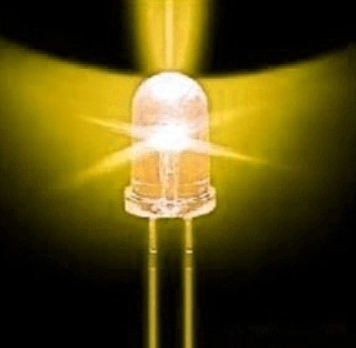
Candle
Simulate the warm, flickering glow of a candle using a single LED, PWM and a bit of randomness with Pi4J.
Candle
Real candles never sit perfectly still. Their flame breathes, dances and flickers unpredictably. That is exactly what makes them feel alive — and what we can approximate with a single LED and a little randomness in software.
In this project we turn one LED into a candle flame by rapidly varying its brightness with software-controlled PWM. It is a lovely small effect and a perfect excuse to combine GPIO output with a pinch of chaos.
Source code: projects/candle/Candle.java
What You Will Learn
- How to simulate PWM in software to control LED brightness
- How to introduce randomness into an embedded program
- How small timing changes affect the visual feel of a light
- How to think about "organic" instead of "digital" effects
Components
- Raspberry Pi
- 1 warm-white or yellow LED (orange also works well)
- 1 × 220Ω resistor
- Breadboard
- Jumper wires
- Optional: a translucent cover (paper cup, tissue paper, wax paper) to diffuse the light
Wiring
- Connect the anode (longer leg) of the LED to a GPIO pin through a 220Ω resistor.
- Connect the cathode (shorter leg) to any GND pin.
- Optionally place a small paper cup or a piece of tissue over the LED to diffuse it and get a more candle-like glow.
How It Works
Instead of turning the LED fully on or fully off, the program does software PWM: within every short cycle, it turns the LED on for a fraction of the time proportional to the desired brightness. By quickly changing that fraction with a random component, the LED looks like it is flickering.
The recipe is:
- Pick a target brightness between "dim ember" and "bright flame".
- For a short interval, PWM the LED at that brightness.
- Randomly nudge the target brightness a little bit.
- Repeat forever (or until you power off).
Possible Enhancements
- Combine several LEDs of slightly different colors for a richer flame
- Add a microphone and let the "candle" react to sound (blow it out)
- Add a physical button to "light" and "extinguish" the candle
- Use a proper hardware PWM pin for smoother control
- Group many candles together for a virtual altar or tea light set
Why It Matters
Digital electronics are, by default, very square: on or off, high or low. Making things feel natural — like a flickering flame, a breathing heartbeat or a gentle wave — requires layering timing, brightness and randomness. This tiny candle is a great first step in that art.