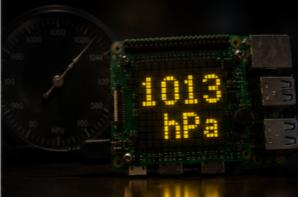
Reading barometric pressure on the Sense HAT
Read atmospheric pressure from the Sense HAT LPS25H sensor and scroll the value on the LED matrix.
Pressure reads the atmospheric (barometric) pressure from the Sense HAT and scrolls it across the LED matrix every 5 seconds.
Source code: projects/Pressure/Pressure.java
How it works
The Sense HAT ships with an LPS25H barometric pressure sensor (LPS22HB on the v2 board). Pi4J's SenseHat driver exposes it via hat.getPressure(), which returns the value in hectopascals (hPa).
The main loop:
- Calls
hat.getPressure()to get the current reading. - Rounds it to one decimal place.
- Builds a message like
1013.2 hPaand scrolls it withhat.showMessage(...)in yellow on black. - Sleeps 5 seconds and repeats forever.
Typical values at sea level are around 1013 hPa; the reading drops as you go up in altitude, which makes this example a great starting point for a weather station or an altimeter demo.
Running it
This script depends on a specific branch of pi4j-drivers (my igfasouza branch), so clone and install it locally first:
git clone -b igfasouza https://github.com/igfasouza/pi4j-drivers.git
cd pi4j-drivers
mvn install
Then run it with JBang on a Raspberry Pi with a Sense HAT attached:
jbang projects/Pressure/Pressure.java