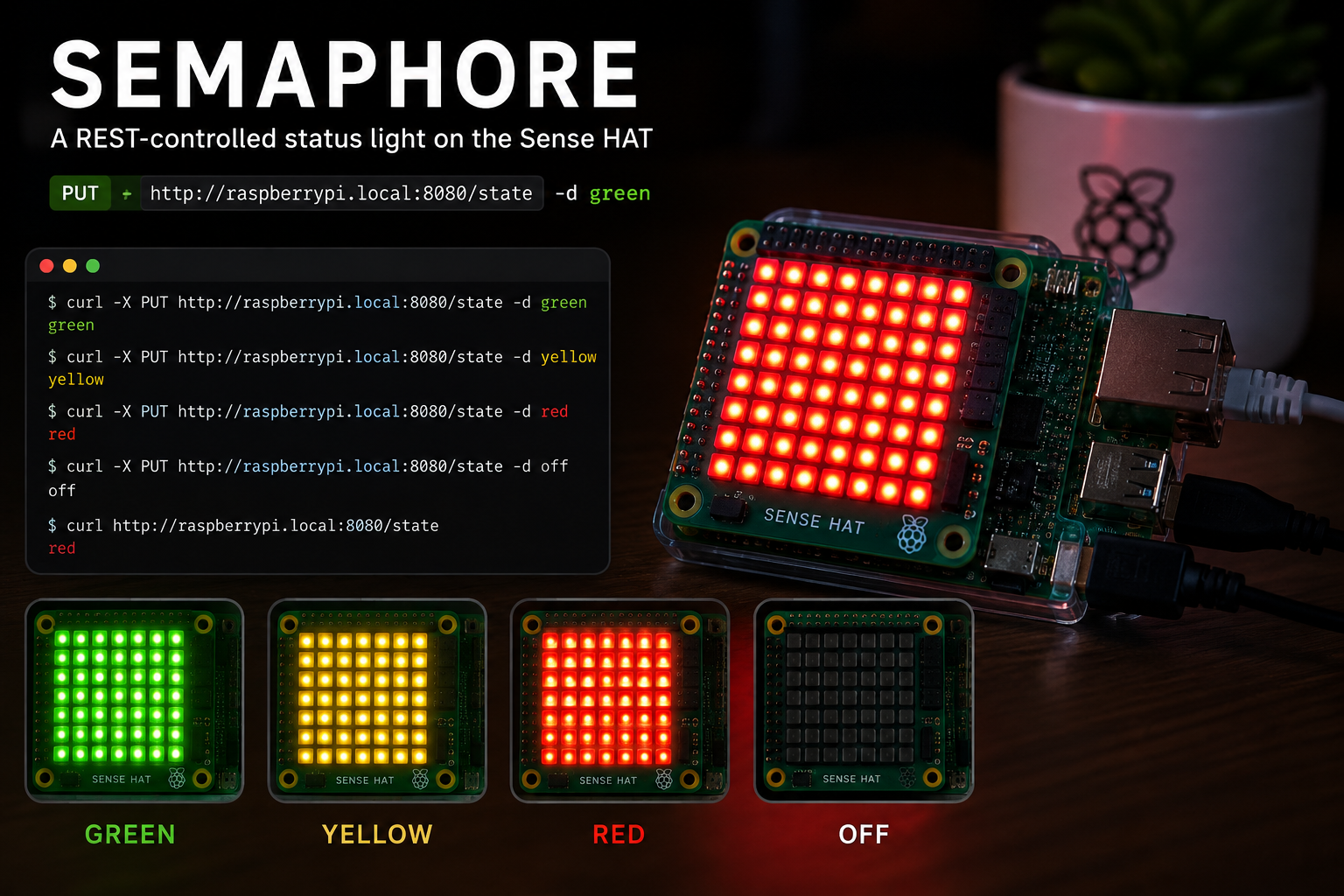
A REST-controlled status light on the Sense HAT
A tiny embedded HTTP server that turns the Sense HAT 8x8 matrix into a red/yellow/green status light — flip it with a single curl call.
Semaphore turns the Sense HAT into a network-controlled status light. A tiny embedded HTTP server accepts a colour name and floods all 64 LEDs with that colour — a physical red / yellow / green indicator you can drive from anywhere on your network with a single curl call.
Source code: projects/Semaphore/Semaphore.java
Running it
jbang projects/Semaphore/Semaphore.java
# semaphore listening on http://0.0.0.0:8080/state
Then from any machine on the same network:
curl -X PUT http://raspberrypi.local:8080/state -d green
curl -X PUT http://raspberrypi.local:8080/state -d yellow
curl -X PUT http://raspberrypi.local:8080/state -d red
curl -X PUT http://raspberrypi.local:8080/state -d off
Reading the current state:
curl http://raspberrypi.local:8080/state
# green
Pass --port <n> if 8080 is taken.
The API
One resource, one endpoint:
| Method | Path | Body | Response |
|---|---|---|---|
GET |
/state |
— | current colour (red, yellow, green, off) |
PUT |
/state |
one of red, yellow, green, off |
the accepted colour |
POST |
/state |
same as PUT |
same as PUT |
Any other body returns 400 with a short hint. Any other method returns 405 with an Allow header.
How it works
The whole thing is a single file with no web-framework dependency — it uses com.sun.net.httpserver.HttpServer, which ships with the JDK. That keeps the JBang startup fast and the code short enough to read in one sitting.
- A
Pi4Jcontext is created and aSenseHatis opened in a try-with-resources block. - The colour name → RGB triple mapping lives in a small
Map<String, int[]>, so adding a new state (blue for "deploying", magenta for "on-call") is a one-line change. HttpServer.create(...)binds to0.0.0.0on the chosen port and registers a single handler on/state.PUT/POSTfills a 64-entryint[]with the requestedArgb32colour and pushes it in one call withhat.setPixels(...)— no per-pixel loop needed.- The last accepted colour is kept in an
AtomicReference<String>soGET /statecan answer without touching the hardware. - A shutdown hook stops the server, clears the matrix and shuts Pi4J down cleanly on
Ctrl-C.
What it's good for
The obvious use is a build-status light — point your CI at it and paint the room red the moment main breaks:
# in a CI post-step
if [ "$BUILD_STATUS" = "success" ]; then COLOR=green
elif [ "$BUILD_STATUS" = "failed" ]; then COLOR=red
else COLOR=yellow; fi
curl -fsS -X PUT http://raspberrypi.local:8080/state -d "$COLOR"
But the same three colours cover a lot of ground:
- Free / busy / do-not-disturb sign for your desk.
- On-call state — green when nothing is paging, yellow for a warning, red during an incident.
- Deploy in progress — flip to yellow at the start of the pipeline, green or red at the end.
- Home Assistant tile — bind a
rest_commandto each colour and drive it from a dashboard.
A note on the network
The server binds to 0.0.0.0, so anyone on the same network can flip your lights. That's fine on a home LAN — and part of the fun — but don't expose the port to the wider internet without putting something in front of it. If you want to lock it down to the Pi itself, change the bind address to 127.0.0.1 and reach it over SSH.
Requirements
Same as the other examples: this script depends on a specific branch of pi4j-drivers (my igfasouza branch), so clone and install it locally first:
git clone -b igfasouza https://github.com/igfasouza/pi4j-drivers.git
cd pi4j-drivers
mvn install
Then run it with JBang on a Raspberry Pi with a Sense HAT attached.