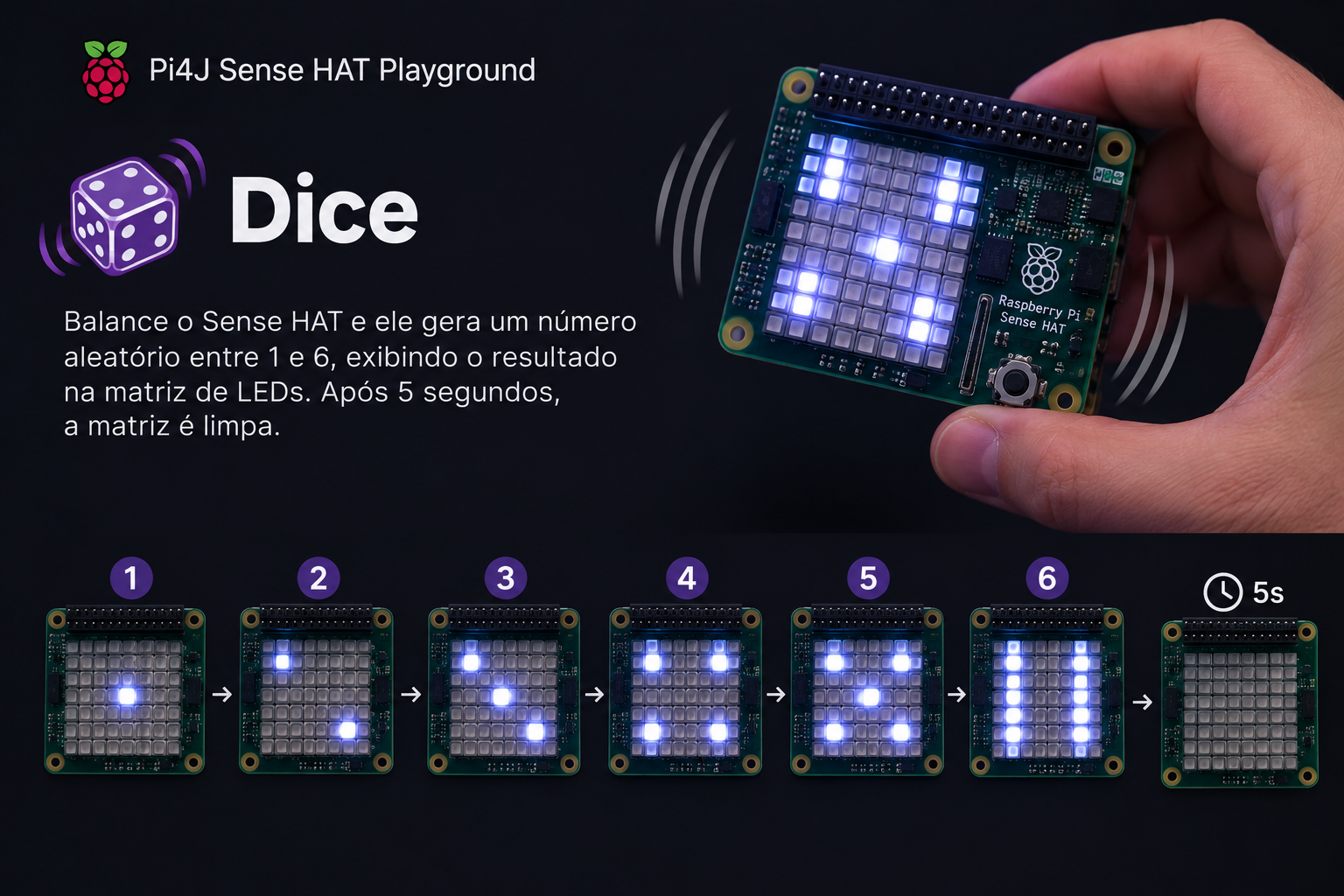
Shake-to-roll dice on the Sense HAT
Shake the Sense HAT to roll a virtual dice — the accelerometer detects the motion, a random 1–6 is drawn as pips on the 8×8 matrix, and the face clears after 5 seconds.
Dice turns the Sense HAT into a shake-to-roll dice. Give the Raspberry Pi a quick shake and the LED matrix shows a random face from 1 to 6, drawn as classic dice pips. Five seconds later the matrix clears itself and waits for the next roll.
Source code: projects/Dice/Dice.java
How it works
Two things are combined: shake detection with the accelerometer and a fixed set of pip patterns on the 8×8 matrix.
- The main loop reads
hat.getAccelerometerRaw()every 50 ms and computes the magnitude of the acceleration vector:sqrt(x² + y² + z²). At rest this sits around 9.8 m/s² (gravity). A shake briefly pushes it well above that. - When the magnitude crosses
SHAKE_THRESHOLD(18 m/s²),ThreadLocalRandompicks a number between 1 and 6. - The chosen face is drawn using a small lookup table. Each of the six faces is a set of "pip slots" arranged in a 3×3 grid inside the matrix, and each pip is rendered as a 2×2 block of white pixels — big enough to read from across the room.
Thread.sleep(5000)keeps the face visible, thenhat.clear()wipes the matrix and the loop starts watching for the next shake.
The pip layout maps directly to a standard Western dice:
| Face | Pips |
|---|---|
| 1 | center |
| 2 | top-left, bottom-right |
| 3 | top-left, center, bottom-right |
| 4 | four corners |
| 5 | four corners + center |
| 6 | two columns of three |
Running it
This script depends on a specific branch of pi4j-drivers (my igfasouza branch), so clone and install it locally first:
git clone -b igfasouza https://github.com/igfasouza/pi4j-drivers.git
cd pi4j-drivers
mvn install
Then run it with JBang on a Raspberry Pi with a Sense HAT attached:
jbang projects/Dice/Dice.java
Shake the board and watch the pips appear.
Tweaks worth trying
- Sensitivity. Lower
SHAKE_THRESHOLDif the board doesn't respond to a gentle shake, or raise it to avoid accidental triggers when the Pi is bumped. - Display time.
DISPLAY_MScontrols how long the face stays visible — drop it to 2000 for faster rounds, or raise it for board games where players need time to look up. - Colour per face. Instead of a single white, pick a colour based on the face (green for 6, red for 1) — a one-line change in
drawFace. - Two dice. Split the matrix into left and right halves and roll two faces at once for the board-game classics.
For a related example that also uses the accelerometer, see the Accelerometer tilt demo.